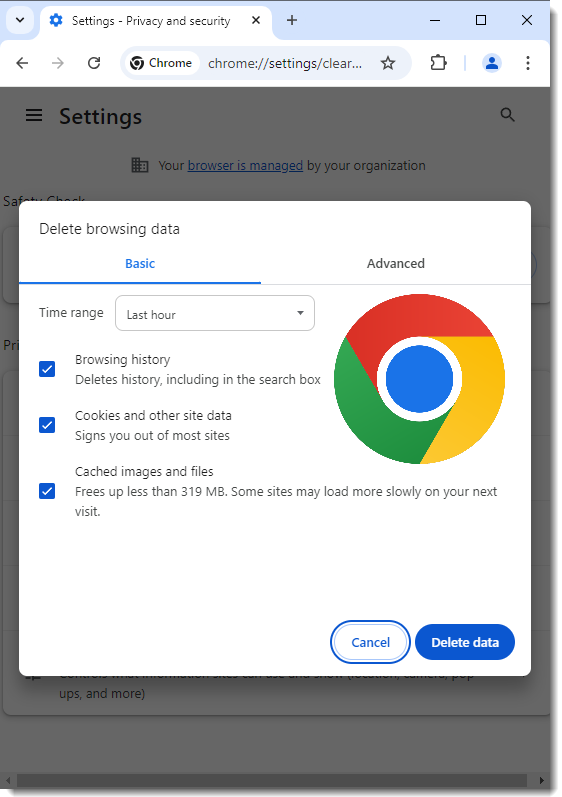
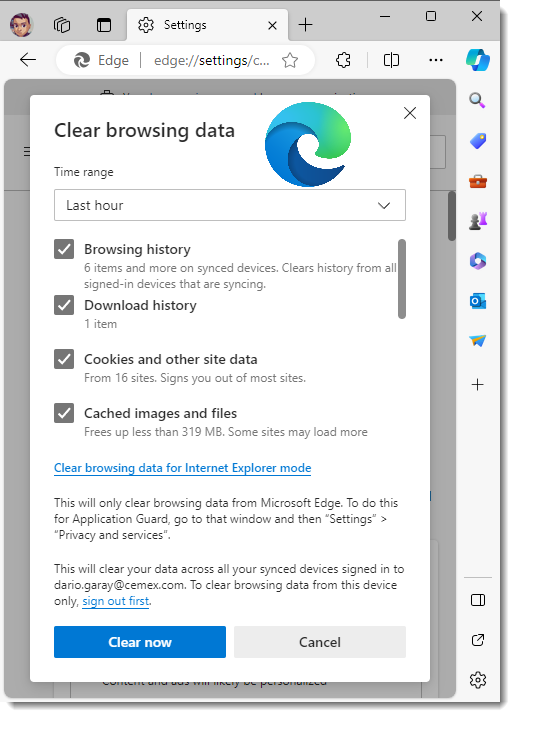
How to Clear the Cache and Cookies in Your Web Browser
Step 1: Open your preferred web browser (e.g., Chrome, Edge).
Step 2: Press Ctrl + Shift + Delete on your keyboard to open the Clear Browsing Data menu.
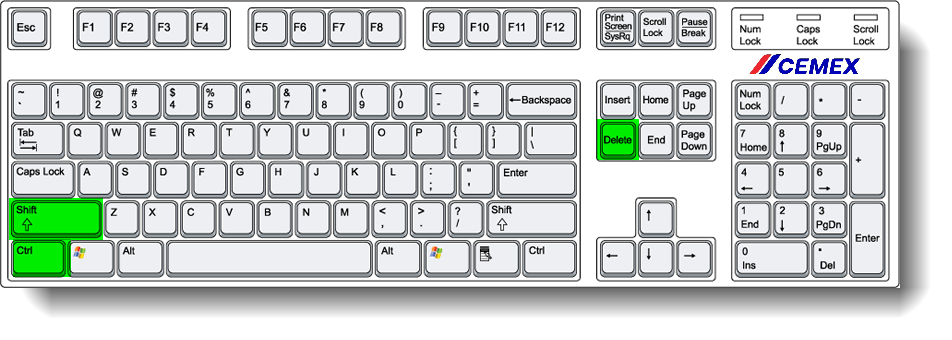
Step 3: In the Clear Browsing Data window, choose the time range and ensure that “Cookies and other site data” and “Cached images and files” are selected.
Step 4: Click on "Clear data" (Chrome) or "Clear now" (Edge) to complete the process.